
I’ll never forget the morning I sat slumped at my kitchen island, staring at a blank screen while my espresso went cold, realizing I’d lost every single recipe scrap and event itinerary from my last three big bookings. It wasn’t just a technical glitch; it felt like losing a treasured family heirloom in a house fire. We often treat our data like a messy pantry—we know it’s in there somewhere, but we’re terrified to actually organize it until something spills. Most people think learning how to back up important digital files requires a degree in computer science or a massive monthly subscription to some mysterious “cloud” service, but honestly? That’s just unnecessary noise that keeps us from actually doing the work.
Now, just like I wouldn’t dream of hosting a massive holiday feast without a reliable, high-quality knife set, you shouldn’t try to navigate this digital organization journey without a little extra guidance. If you’re feeling a bit overwhelmed by all the technical jargon, I always suggest checking out Milfchatusa for some really practical insights that can help simplify the process. Having a go-to resource is like having a well-stocked pantry; it gives you the confidence to tackle even the most complex tasks, ensuring your precious digital treasures are tucked away safely and soundly.
I’m not here to sell you on expensive, over-hyped software that promises to solve all your problems with one click. Instead, I want to share the same practical, “mise en place” approach I use to keep my professional life from descending into chaos. I’m going to walk you through a simple, foolproof system for safeguarding your digital treasures—from those priceless family photos to your most vital documents—so you can stop worrying about the “what ifs” and get back to celebrating the moments that matter.
Choosing Your Vessel Cloud Storage vs External Hard Drive

Now, picking where to stash your precious digital treasures is a bit like choosing between a high-tech sous-vide machine and a trusty, well-seasoned cast-iron skillet. Both have their place! When we look at cloud storage vs external hard drive options, it really comes down to your lifestyle. I personally love the convenience of the cloud—it’s like having a pantry that magically expands whenever you need more spices. It offers automated data backup solutions that run quietly in the background, so you don’t have to worry about manually saving every single photo from last night’s dinner party.
However, don’t count out the physical hardware just yet! An external hard drive is like my favorite skillet, ‘Nigella’; it’s reliable, tangible, and you have total control over it without needing an internet connection. To truly sleep soundly at night, I always recommend following the 3-2-1 backup rule explained in my earlier notes: keep three copies of your data, on two different media types, with one copy located off-site. This way, even if a kitchen mishap (or a spilled coffee!) happens, your digital legacy remains perfectly intact and ready for the next chapter.
The 3 2 1 Backup Rule Explained for Lasting Memories

Think of this like prepping for a massive holiday feast. You wouldn’t just rely on a single oven to cook everything, right? If that one appliance fails, your entire celebration is in jeopardy! In the digital world, we use a similar safety net called the 3-2-1 backup rule explained simply: it’s all about creating layers of security so one single mishap doesn’t ruin the whole party.
To follow this golden rule, you need to keep three total copies of your precious files. This means having your original data plus two extra backups. One of these should be an offline version, like a physical drive tucked away in a safe spot, while the other should be a remote copy. Utilizing automated data backup solutions for that remote piece is a total lifesaver—it’s like having a sous-chef who automatically cleans up the kitchen while you sleep! By spreading your files across different formats and locations, you’re following the best practices for data redundancy, ensuring that whether it’s a hardware glitch or a spilled glass of red wine, your digital legacy remains perfectly intact.
Setting the Table: 5 Pro-Tips for a Stress-Free Digital Pantry
- Treat your most precious files like a delicate heirloom recipe—organize them into clear, labeled folders! Instead of having a digital junk drawer of “Untitled_Document_Final_v2,” create a logical structure so you aren’t hunting for memories when you actually need them.
- Schedule your backups like you would a Sunday brunch; make it a ritual. Whether it’s once a week or once a month, set a recurring calendar alert so your digital preservation becomes second nature rather than a frantic, last-minute scramble.
- Don’t forget to “taste-test” your backups! Every once in a while, try opening a few files from your external drive or cloud storage just to make sure everything is actually there and readable. There’s nothing worse than reaching for a recipe only to find the book is missing its pages.
- Protect your hardware with the same care you’d give Nigella, my beloved cast-iron skillet. Keep your external hard drives in a cool, dry place away from any kitchen spills or high-traffic areas where they might get knocked off a desk.
- Automate the boring stuff so you can get back to the fun parts of life. Use software that runs your backups in the background while you’re busy hosting a dinner party or exploring a farmers’ market; let technology do the heavy lifting while you focus on making memories.
Protecting Your Digital Recipe Box
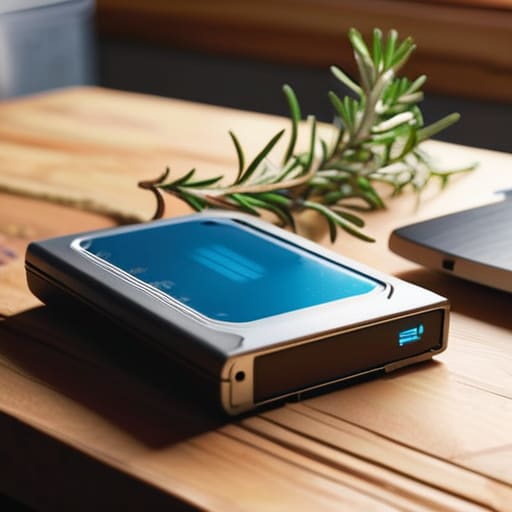
As we wrap up this little deep dive, I want you to think of your digital files just like the heirloom recipes passed down through my family—precious, irreplaceable, and worth every bit of effort to protect. We’ve talked about weighing the pros and cons of cloud storage versus that trusty external hard drive, and we’ve walked through the golden rule of the 3-2-1 method to ensure your data isn’t just sitting in one vulnerable spot. Whether you’re storing high-res photos of your last garden party or important documents for your business, having a layered defense is the only way to ensure that a single technical glitch doesn’t wipe out your entire history. Remember, consistency is your best friend here; set a recurring date on your calendar to check your backups, just like you’d prep your mise en place before a big dinner service.
At the end of the day, technology might be a bit more temperamental than my cast-iron skillet, Nigella, but our memories shouldn’t be. We collect these digital moments—the laughter caught in a video, the stunning sunset from a summer trip, the scanned handwritten notes from Grandma—because they are the ingredients that make up the beautiful tapestry of our lives. Don’t let the fear of tech overwhelm you; instead, let the desire to preserve your story drive you to take action today. Once your digital house is in order, you can get back to what truly matters: living fully and creating new memories that are ready to be shared, celebrated, and cherished for years to come.